- LG · coming soon to the LG Content Store
- iPhone & iPad · in development
- Samsung · in development
Your own playlist. Fast, beautiful and on every screen.
VireoView is the IPTV player that simply works. It starts in seconds, stays smooth with 100,000+ movies and has no ads. You set it up with your phone, without a MAC address or activation code. Start a movie on your TV and continue on your iPhone, or the other way round.
- Free
- No ads
- No account
- No MAC address
- 6 languages
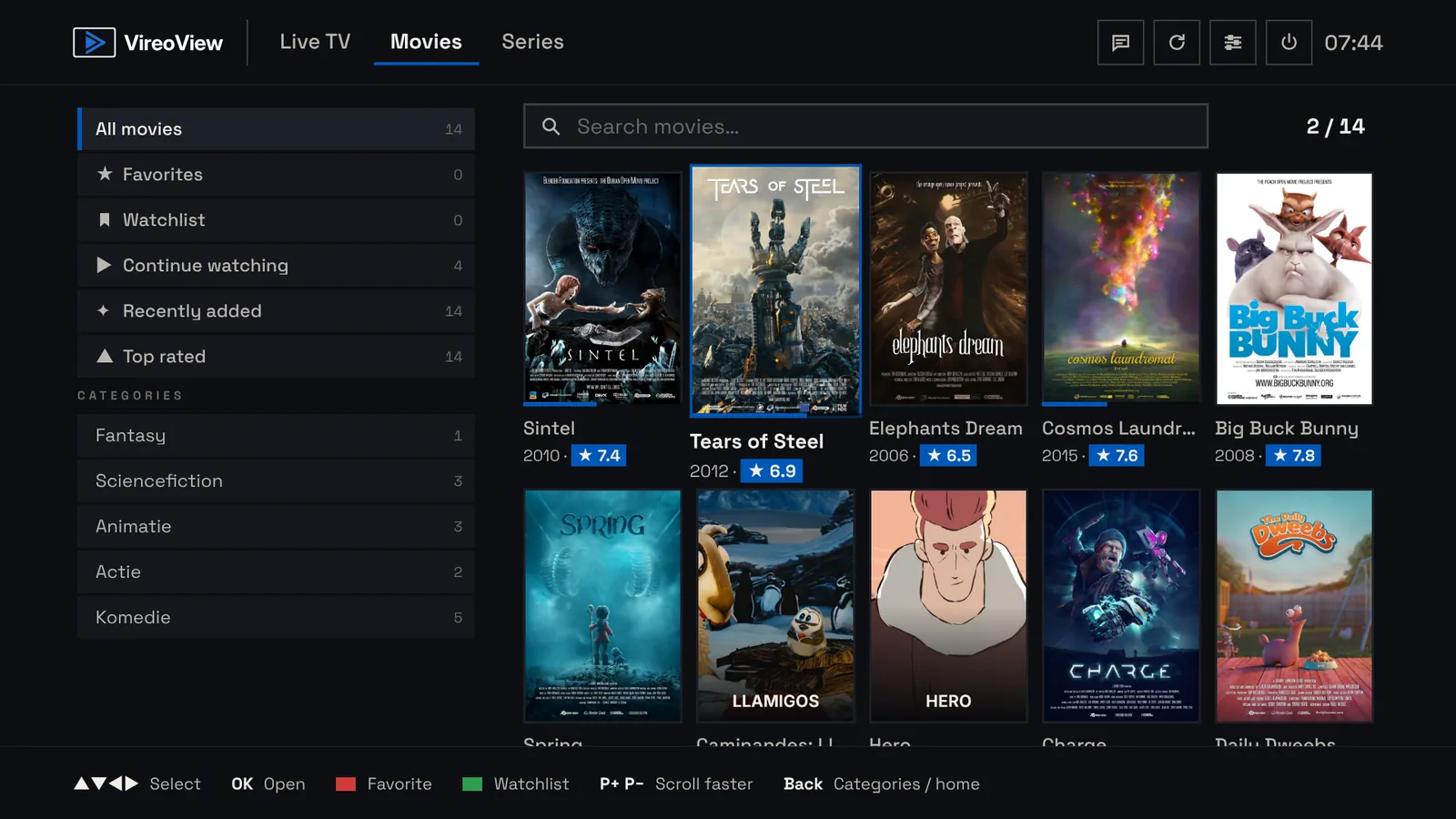
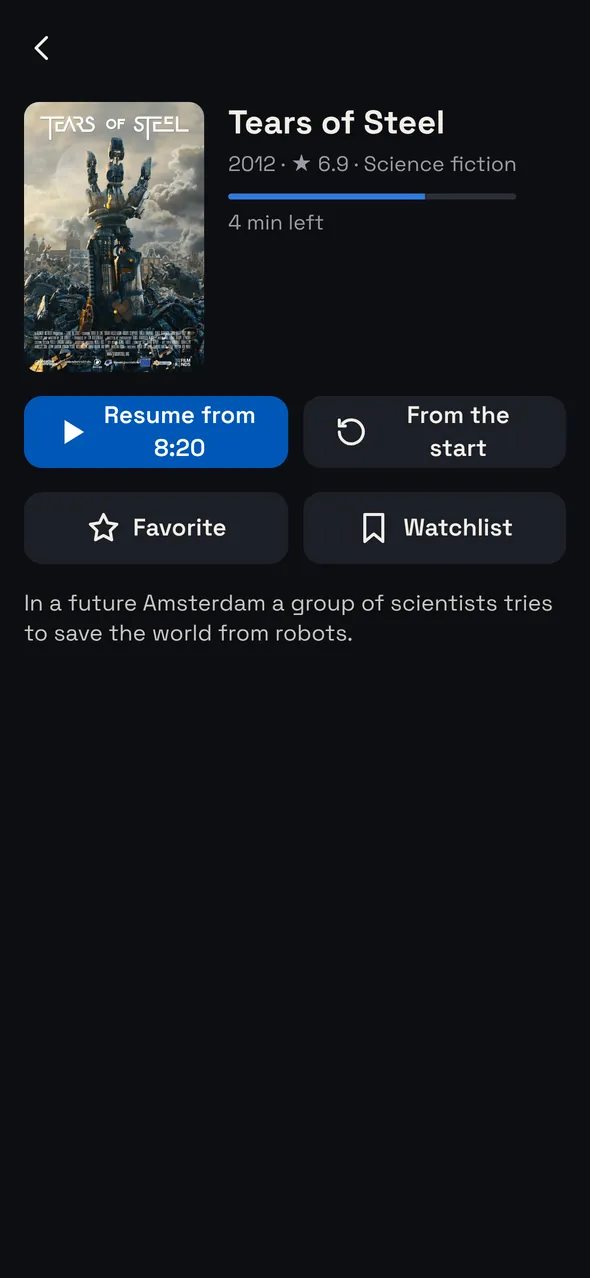
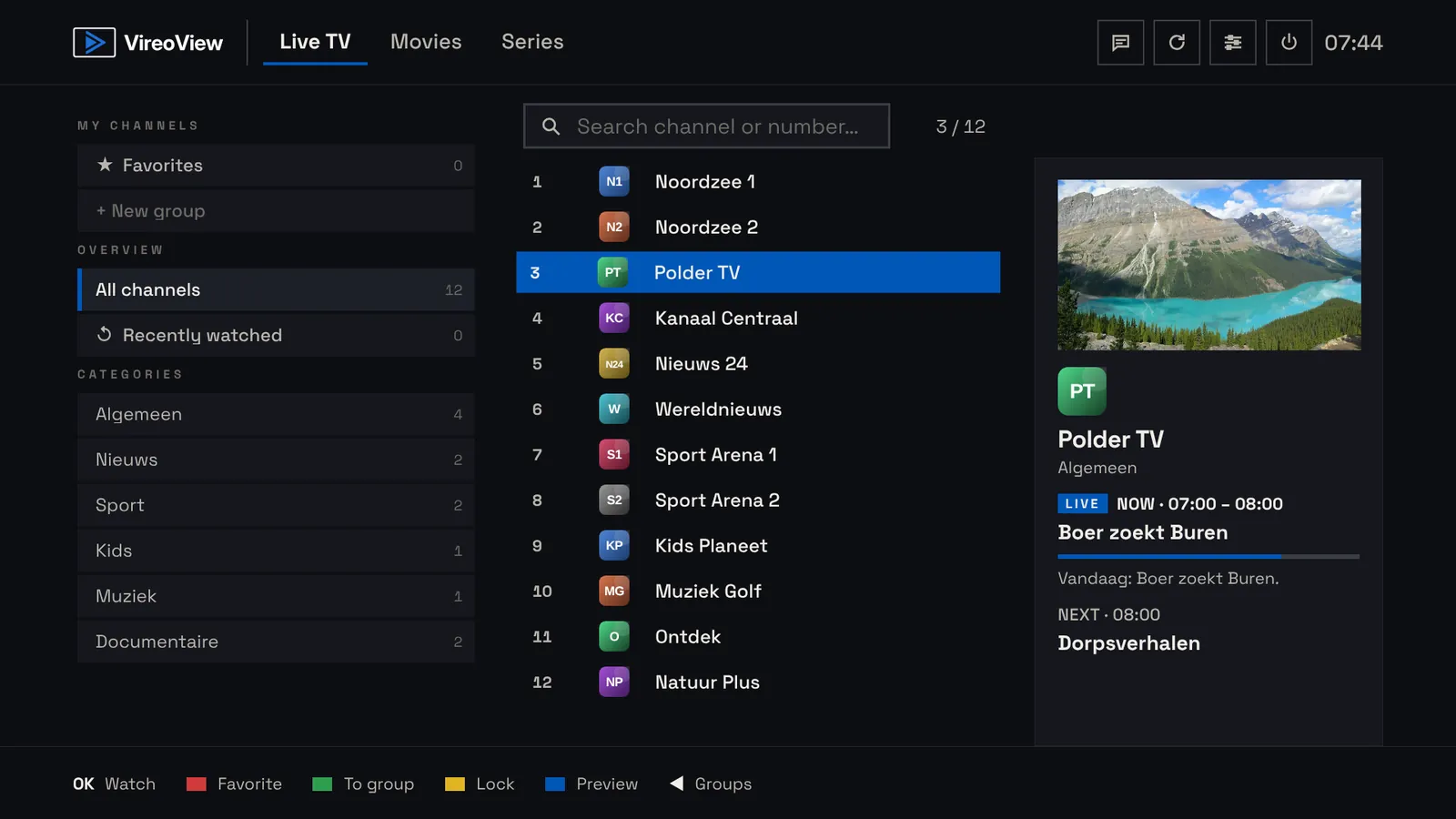
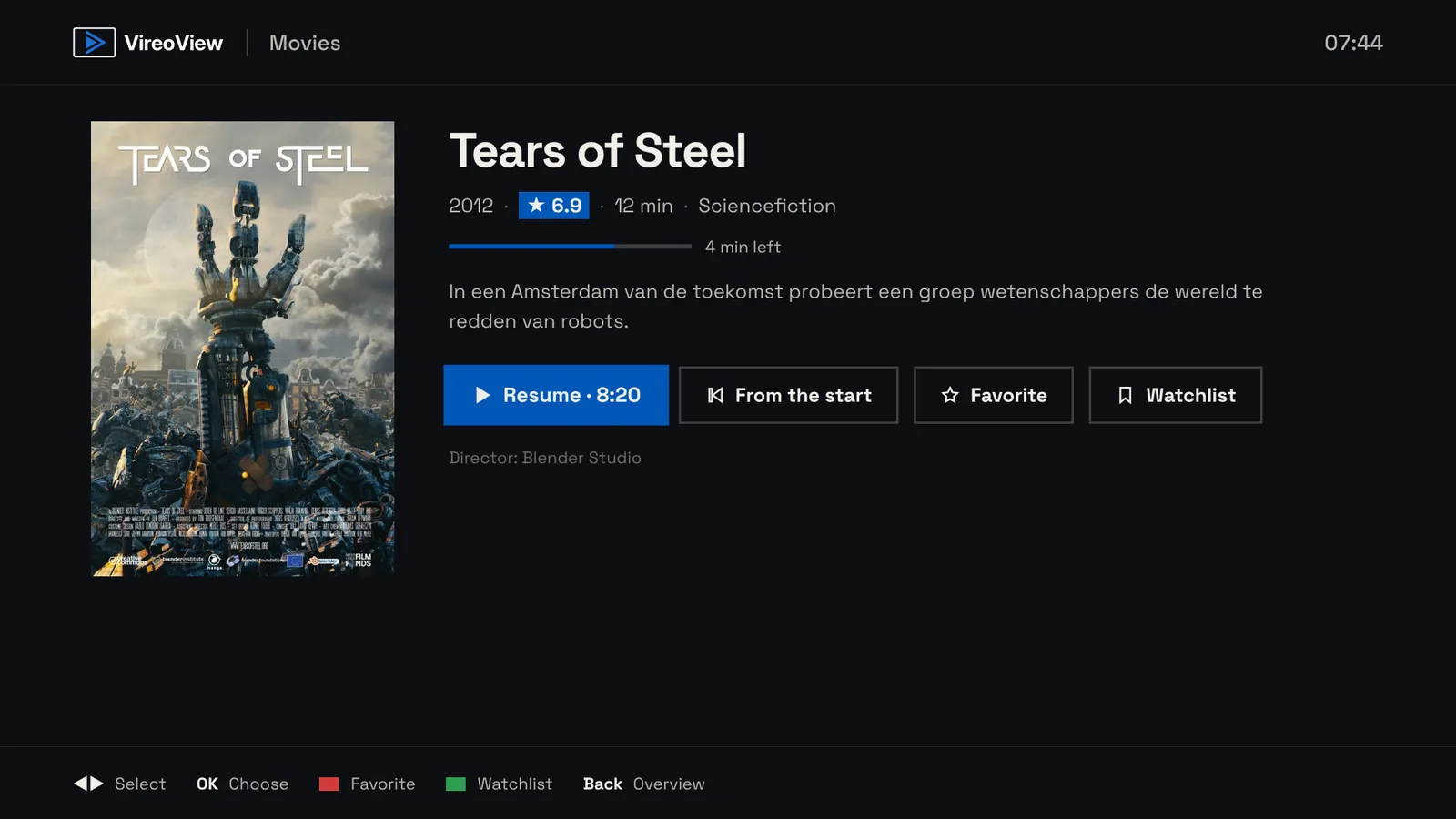
Screenshots with a sample playlist. VireoView itself contains no channels or movies.
In half a minute
See how fast it is.
Footage: Sintel, Big Buck Bunny, Tears of Steel © Blender Foundation (CC BY 3.0).
Why VireoView
Everything you need. Nothing that annoys you.
Many IPTV players feel like a chore: entering a MAC address on a website, waiting for your list to load, closing ads. VireoView is built to be the opposite: designed for people who love TV, not around the technology.
Starts fast
Your lists are saved, so the app opens straight away. Tested with 25,000 channels and 120,000 movies, and scrolling stays smooth.
Set up with your phone
Scan the QR code on your TV and enter your playlist on your phone. No MAC address, no device key, no activation on a website.
Continue where you left off
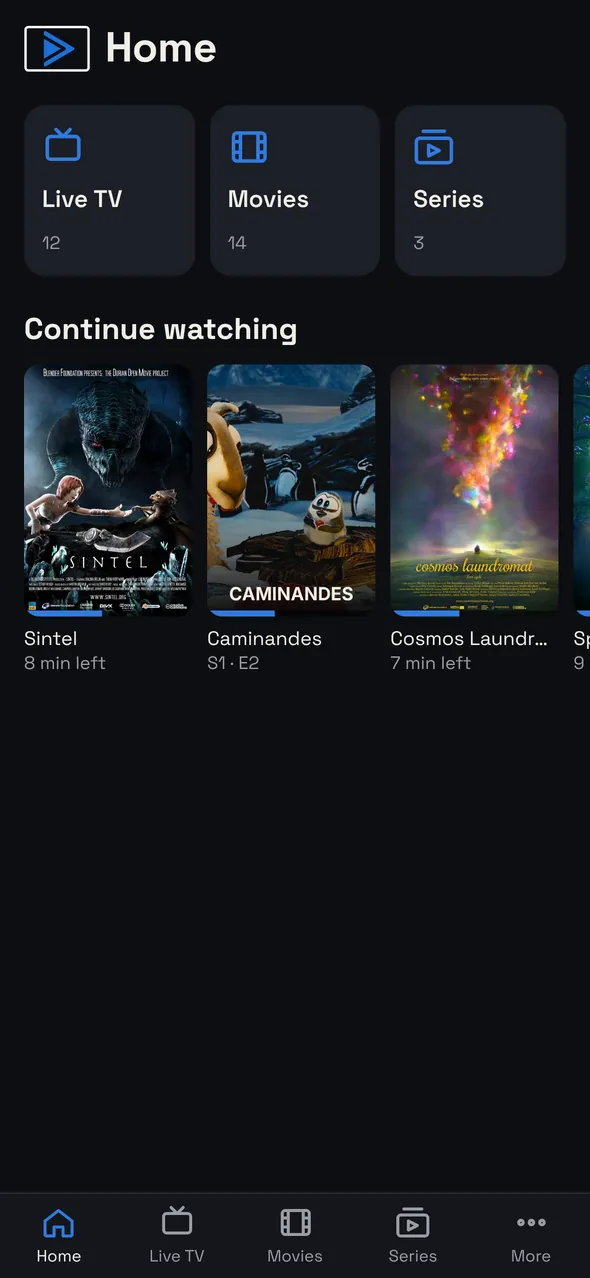
Stop a movie on your TV and continue on your iPhone, or the other way round. At the same spot, automatically, with the same playlist.
Switch in one click
Jump from live TV to movies or series in one click, wherever you are. No trip back to the main menu first, as with many other players.
Free and ad-free
No ads, no pop-ups with offers, no tracking and no payment details. Just your channels, movies and series.
Made for remote and touch
Big, clear tiles on the TV. On the iPhone a real app with taps, swipes and picture-in-picture.
Continue on every screen
Start on the TV. Finish in bed.
VireoView remembers where you stopped, and that spot goes along to your other devices with the same playlist.
- Stop a movie or episode on your LG TV.
- Open VireoView on your iPhone, with the same playlist.
- Tap Continue watching: it picks up at the same second.
It works the other way round too: start on your iPhone and finish later on your TV. No account and no code needed: devices with the same playlist find each other automatically. Where you stopped is sent encrypted, so our server can’t see what you watch. Don’t want it? Turn it off in Settings. This feature comes in the next update of the TV app and in the iPhone app.
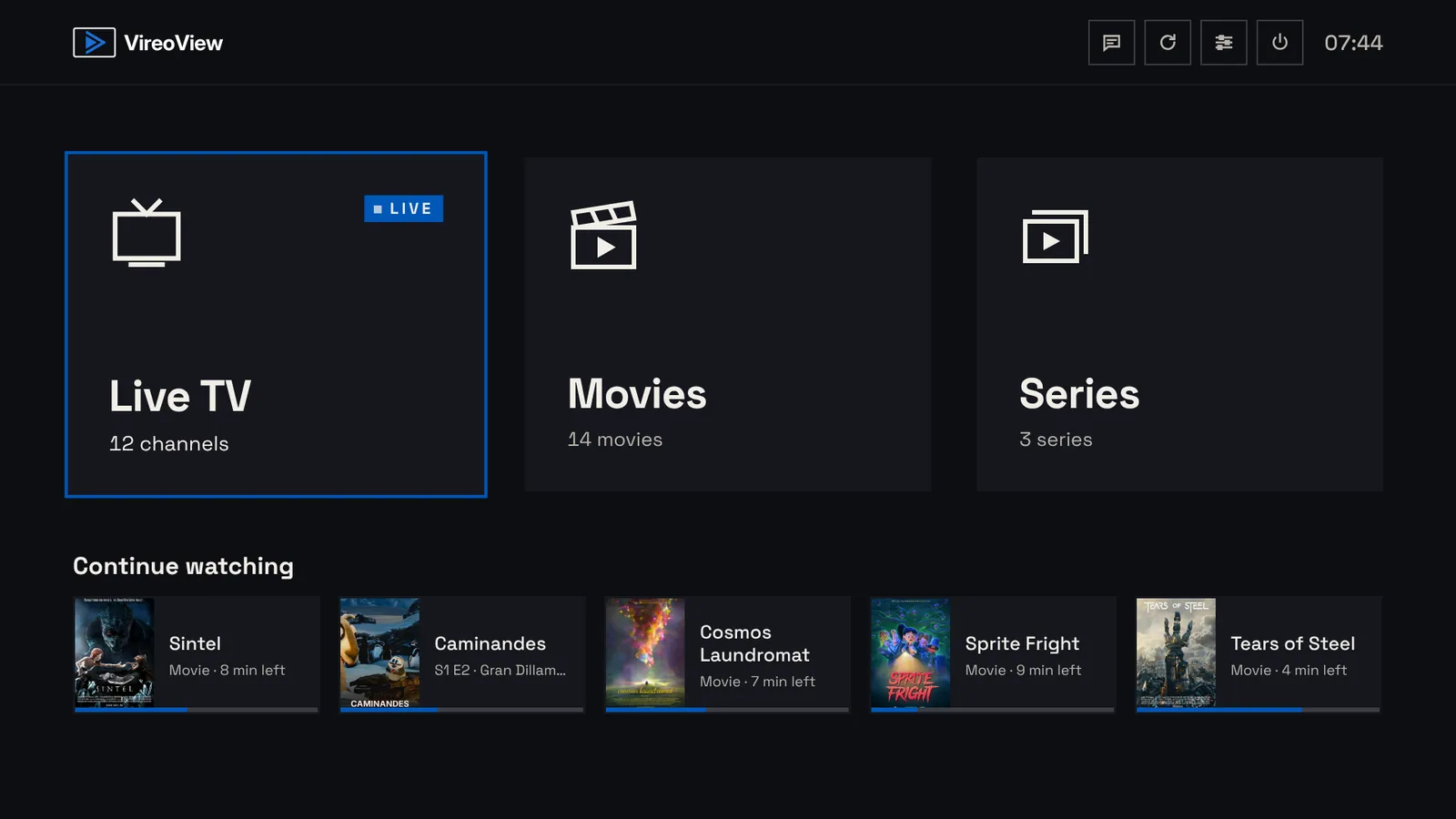
How it works
Scan. Enter. Watch.
Setting up your playlist takes less than a minute. You never have to type a long link with your remote.
Open VireoView on your TV
You’ll see a QR code and a short five-character code.
Scan with your phone
Enter your M3U link or Xtream Codes details on your phone, where typing is easy.
Watch
Within seconds your channels, movies and series are on your TV. Next time, the app starts straight away.
Your details go straight to your TV and are then deleted from our server right away (within two minutes at most).
See it
Modern, calm and clear.
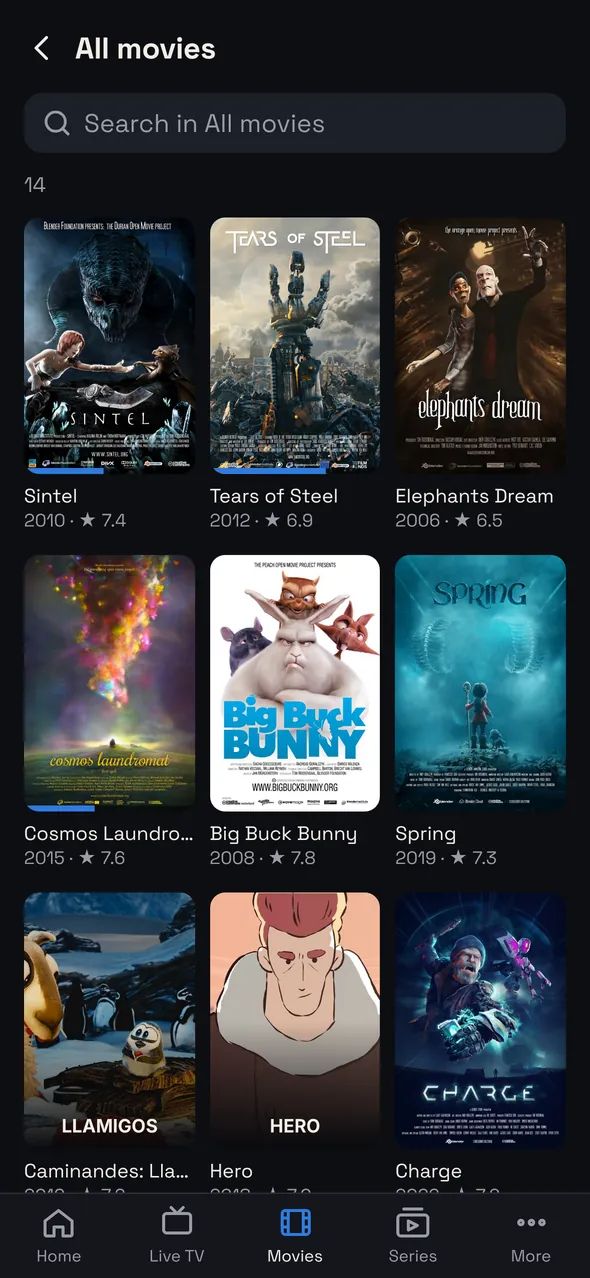
The iPhone app (in development): the same lists, made for your thumb. Screenshots with a sample playlist. VireoView itself contains no channels or movies.
Features
Everything you expect from a good player.
M3U and Xtream Codes
Works with an M3U link or with server, username and password (Xtream Codes). Multiple playlists, easy to switch.
TV guide (EPG)
What’s on now and next, with progress bar and description. Automatically via Xtream or with your own XMLTV link.
Movies and series
Posters, plot, rating and seasons. The next episode starts by itself.
Audio and subtitles
Choose language and subtitles, also for MKV movies. VireoView remembers your choice.
Parental lock
Lock categories with a PIN. Adult categories are detected automatically.
Your own layout
Your own channel groups, favorites, watchlist. Move and hide categories.
On the iPhone
Picture-in-picture, double-tap to skip 10 seconds, pinch to fill the screen and rotate along with your phone.
Your data stays with you
Your playlist and favorites stay on your own device. Where you stopped travels encrypted to your other devices. No account, no tracking.
In your language
English, Dutch, German, French, Spanish and Portuguese. VireoView follows your device’s language, and you can switch whenever you like. German, French, Spanish and Portuguese arrive with the next update.
Platforms
One app, soon on all your screens.
We’re building VireoView for every screen in the house, with the same calm controls everywhere. Here’s where it stands:
LG smart TV
webOS. Submitted to the LG Content Store and expected soon. We test on models from 2020 onwards.
iPhone and iPad
A real iOS app with touch controls and picture-in-picture. Being tested now.
Samsung smart TV
Tizen, for Samsung TVs from 2020 onwards.
Android and more
Android phones and Android TV are on the roadmap.
Compare
VireoView next to other IPTV players.
Many players do the basics well. The difference is in how easy and pleasant it is.
| VireoView | Many other players | |
|---|---|---|
| Setup | Scan a QR code, enter your playlist on your phone | Enter a MAC address and device key on a website |
| Price | Free | Often a short trial, then pay per device |
| Ads | None | Some apps show ads |
| Continue on another device | Yes, between TV and iPhone, both ways | Usually not |
| Starting with a big list | Straight away, with your saved lists | Sometimes reloads every time |
| Switching between live TV, movies and series | One click, from anywhere | Often back to the main menu first |
| Where your playlist is stored | Only on your own device | Often on the app maker’s server |
| Platforms | LG, soon iPhone, iPad and Samsung, with the same controls | Often one platform, or a different app per platform |
This describes how many well-known IPTV players work (as of November 2026). It differs per app; check the app you use now.
Good to know
VireoView is a player. Not a provider.
- It contains no channels, movies or series. You watch what your own provider supplies.
- We don’t sell subscriptions or access to channels and don’t work with providers.
- You need an M3U link or Xtream Codes details from a provider you choose. Only use a provider that has the right to broadcast the content.
Questions
Frequently asked questions
What is VireoView?
VireoView is a free IPTV player: an app to watch your own M3U or Xtream Codes playlist. It’s fast, even with very large lists, has no ads and you set it up with your phone. VireoView doesn’t provide any channels or movies itself.
What is the best IPTV player for an LG TV?
That depends on what matters to you. VireoView is made for people who want speed, a calm modern screen and easy setup: no MAC address, no ads, free, and continue watching on your iPhone. Try it yourself once it’s in the LG Content Store.
Which devices does VireoView work on?
LG smart TVs with webOS (we test on models from 2020 onwards). The app for iPhone and iPad and the app for Samsung TVs (Tizen) are in development. Android is on the roadmap.
Which languages does VireoView support?
English, Dutch, German, French, Spanish and Brazilian Portuguese. The app picks the language of your TV or phone automatically, and you can change it anytime in Settings. German, French, Spanish and Portuguese arrive with the next update; English and Dutch are already in.
When can I download VireoView?
The LG version has been submitted to the LG Content Store and is expected soon. Leave your e-mail address and you’ll get one e-mail as soon as the app is there.
How much does VireoView cost?
VireoView is free. No account and no ads. There may be a small subscription for all your devices later, and you’ll hear about it well in advance.
How do I add my M3U playlist to my LG TV?
Open VireoView on your TV. Scan the QR code with your phone and paste your M3U link, or enter server, username and password for Xtream Codes. Tap send: within seconds your channels, movies and series are on your TV. Typing with the remote works too.
Do I need to enter a MAC address or device key?
No. With many players you have to enter your TV’s MAC address on a website and activate the app. With VireoView you just scan a QR code.
How does continue watching on another device work?
Use the same playlist on your TV and your iPhone. Stop a movie on one device and it’s ready under Continue watching on the other, at the same spot. Where you stopped is sent encrypted and you can turn it off in Settings.
Does VireoView include channels?
No. VireoView is only a player, like a media player on your computer. The channels, movies and series come from the provider you choose yourself.
Is IPTV legal?
IPTV is a technology, like streaming. A player like VireoView is legal. Whether the content is legal depends on your provider: choose a provider that has the right to broadcast the channels and movies.
Does VireoView have a TV guide (EPG)?
Yes. With Xtream Codes the TV guide comes along automatically. With an M3U link you can add an XMLTV link.
Can I choose subtitles and audio language?
Yes, for movies, series and channels that have multiple languages. VireoView remembers your choice for next time.
What happens to my playlist and password?
They stay on your own device. If you use the QR code, your details go once via our server to your TV and are deleted right after (within two minutes at most). We never log them. More in the privacy statement.
I have a question or an idea.
E-mail support@vireoview.app. The app also has a feedback button.
Coming soon